How great would it be to have a simple way to manage and maintain your storage infrastructure? Good news, our engineers have been working on making that happen and we’re happy to say Houston UI is now a go!
Houston provides a management layer you can use to interface with 45Drives products. It gives you a single viewpoint of your storage. This blog will outline why we created Houston, and how it simplifies the setup, management, and maintenance of your storage.
Why did we think customers could benefit from a custom-designed management layer?
First, some context. 45Drives has a unique position in the storage industry. To get enterprise-quality data storage, you previously would need to buy an overpriced proprietary server from a legacy vendor. These proprietary storage options come with unnecessary restrictions on your ability to leverage them for your environment by using binding contracts that are designed to lock you in. 45Drives offers enterprise-grade data-storage, with an open design philosophy that decimates the cost so you can spend your budget on what matters, and with complete flexibility that allows you to stay in control of your storage.
Open-source software is generally free of license fees and offers an inherent advantage for flexibility. That’s why it has been such a great fit for 45Drives configurations.
Historically, open-source data storage software’s biggest challenge has been in its complexity and barrier to entry. A lot of the effort 45Drives has put into developing its product offerings has come in the form of simplifying customers’ interactions with open-source software, and ensuring that they have a solution that will handle their environment while protecting their data. In the past, we’ve mostly done this through technical content and human support (which we won’t be slowing down on).
Alright, with that out of the way, now the exciting bit.
What is Houston Command Center?
Houston Command Center is a new user interface developed by 45Drives, powered by the cockpit project. It offers a lean dashboard to interface with their 45Drives storage products, both for single servers and clusters.
We designed Houston for our customers, who run the range from the entry-level administrator looking for server stats, to the experienced administrator trying to gain complete control of their storage. This meant we had to make a dashboard that was easy to use and easy to navigate, without providing any limitations for the most technical administrators who want to dive deep into the command line.
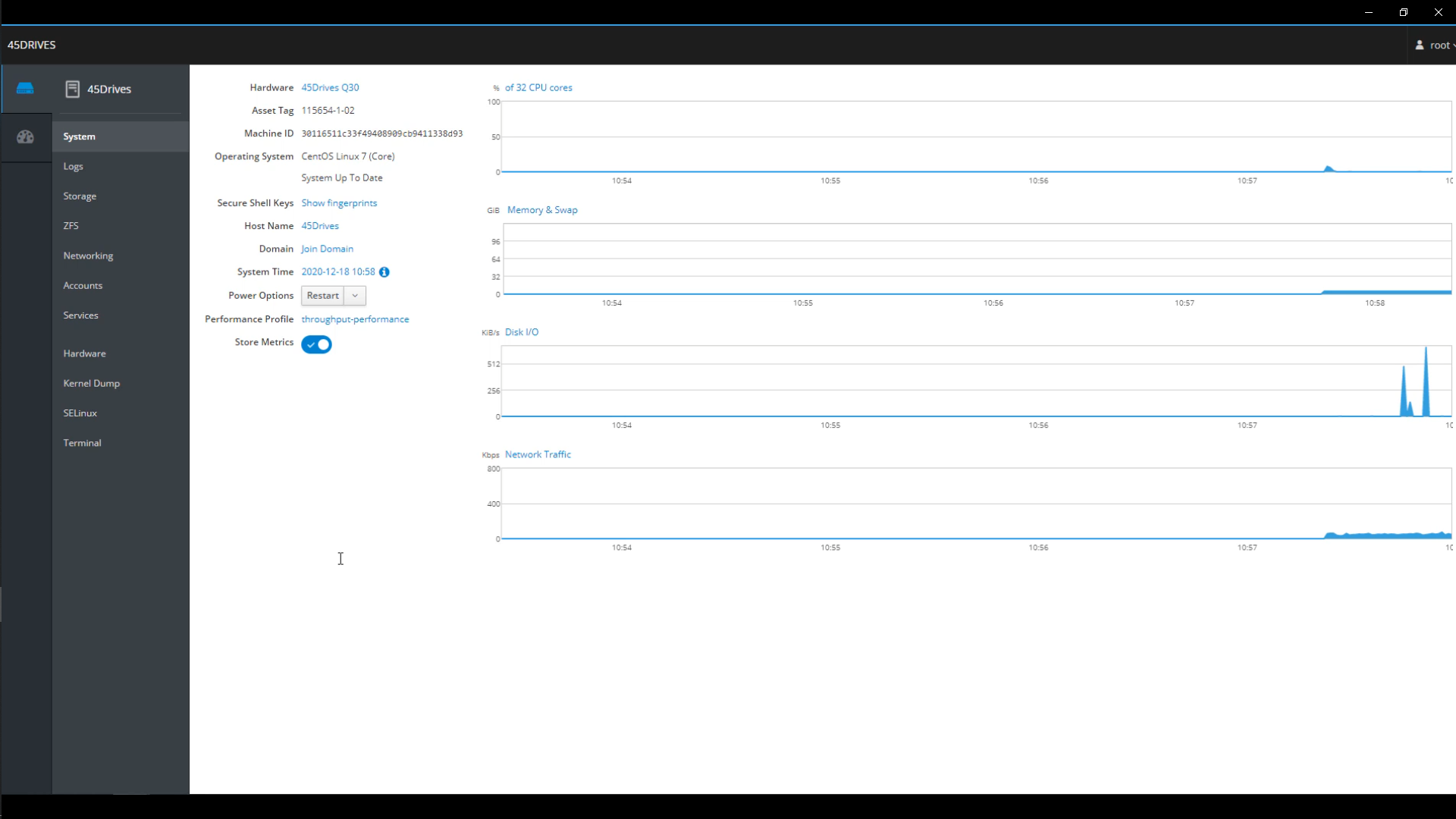
Houston offers a single viewpoint into your storage, providing high-level system information like CPU and memory usage, hardware information, and package updates. It has a lean design, while still providing all the system information you require.
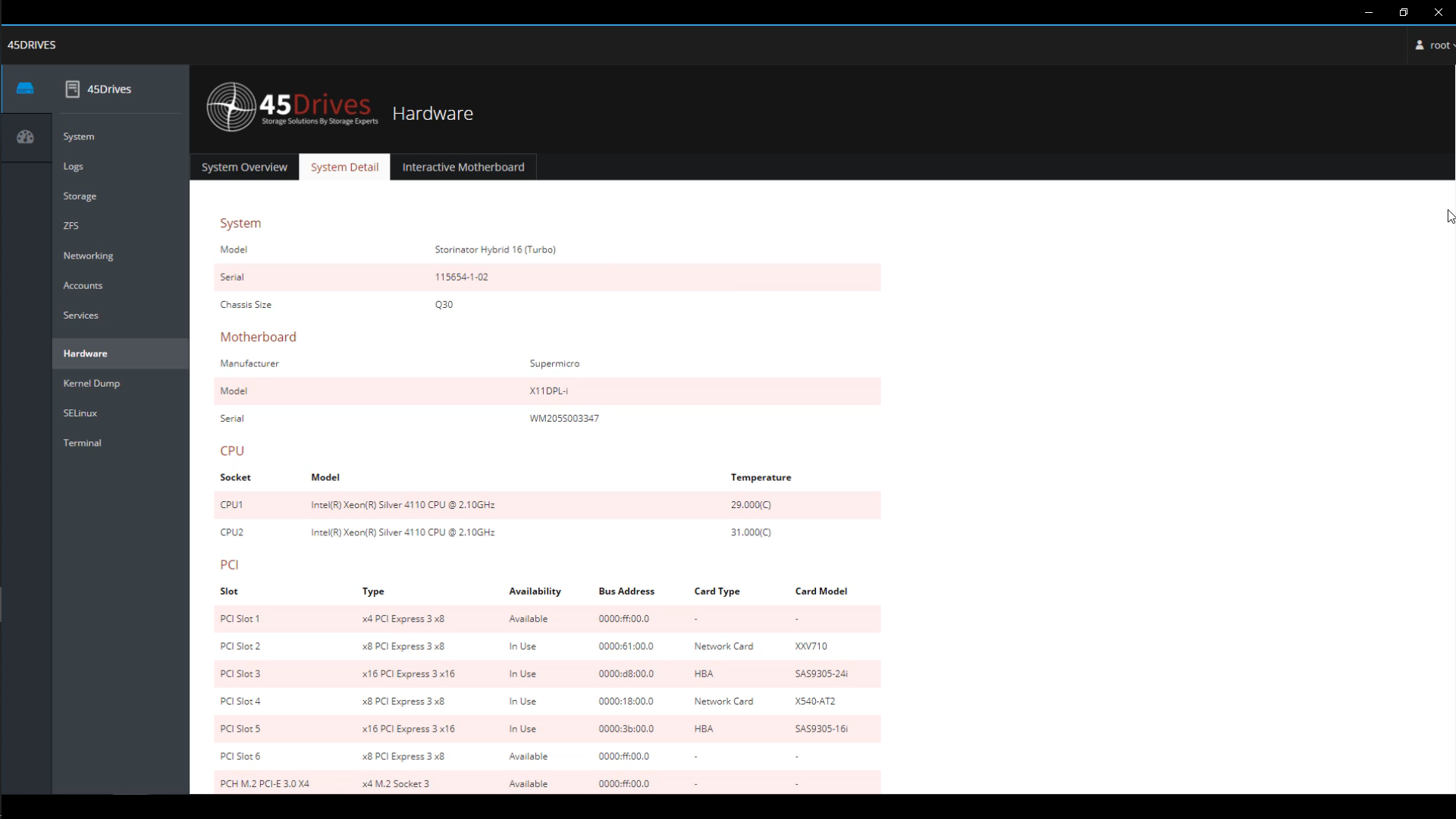
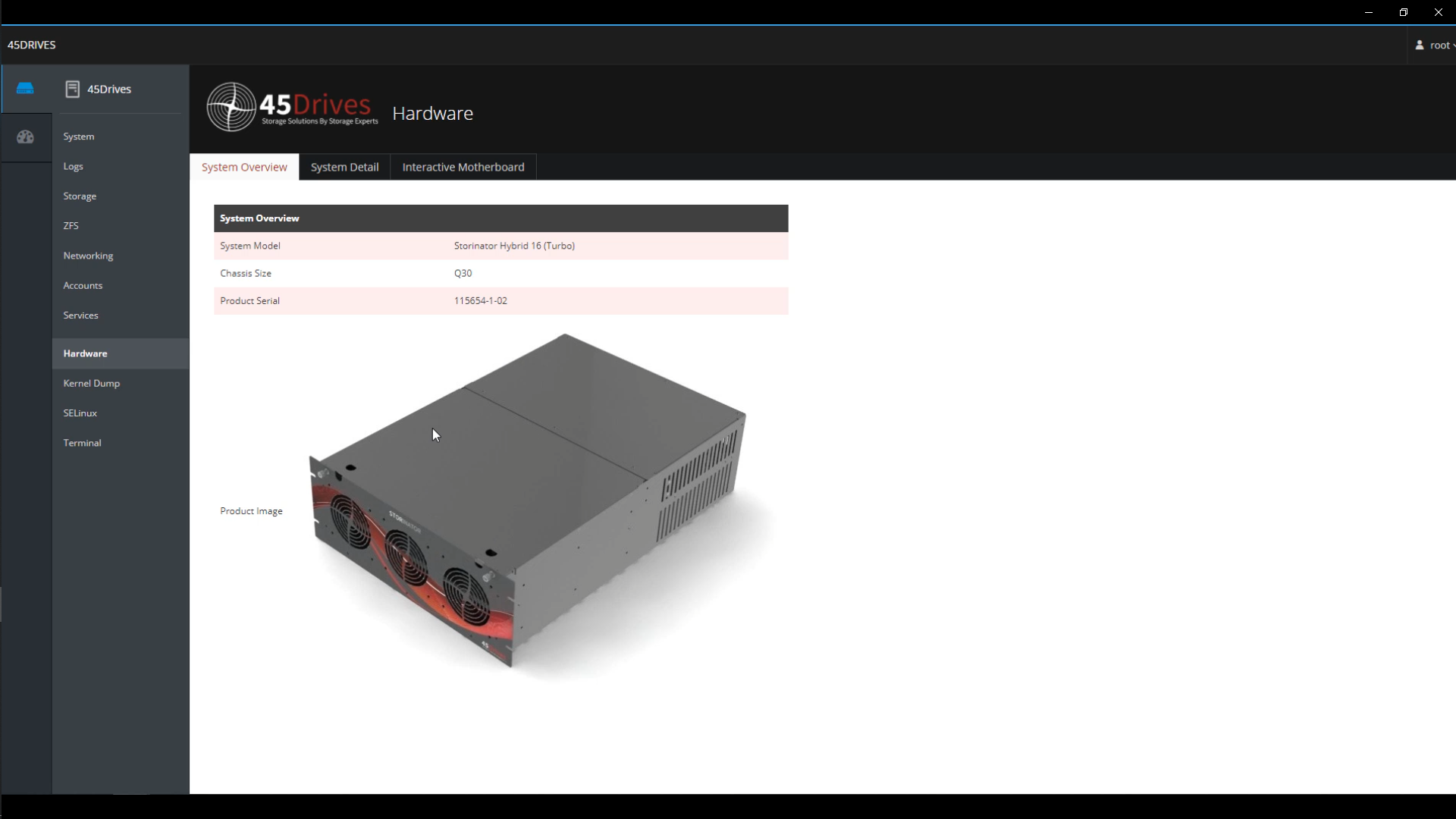
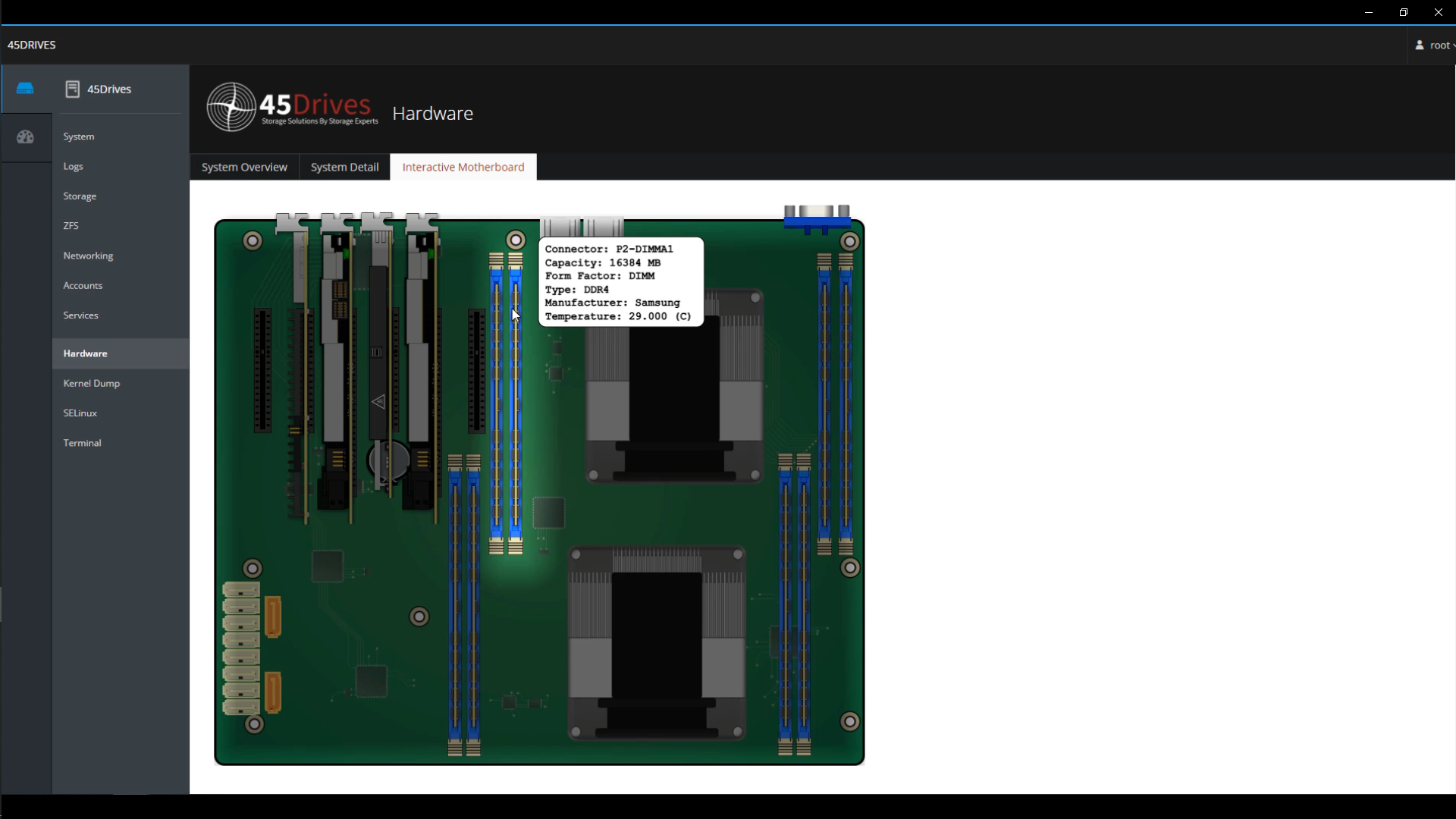
One of the cool features of Houston is the interactive motherboard within the hardware module. It allows you to check system specs by simply mousing over the part you are trying to identify. The model is dynamic, meaning regardless of your configuration, or if you swap parts, it will provide a true-to-life representation of your hardware – both with the image and information displayed.
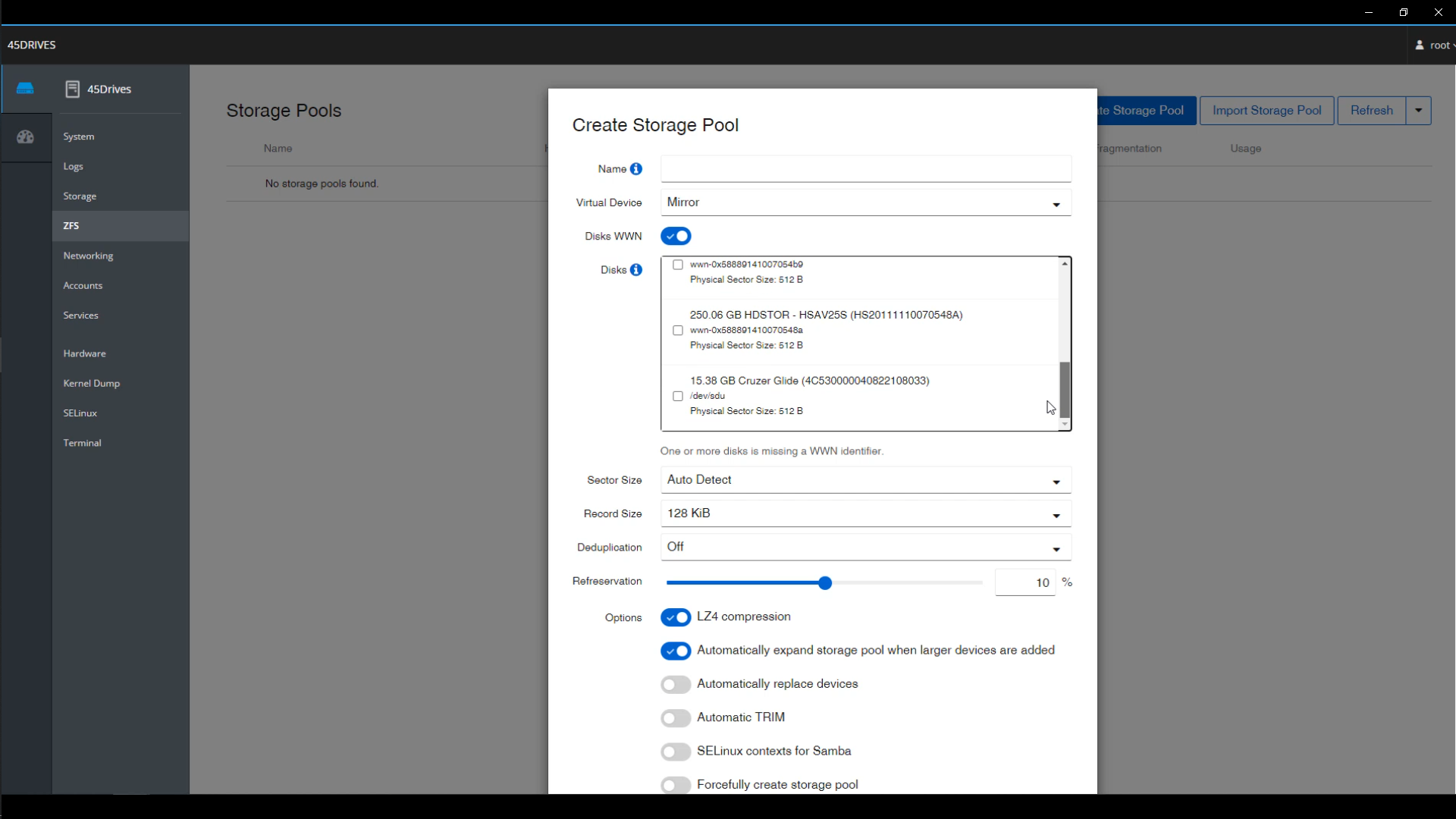
Houston’s ZFS file sharing module enables you to easily create and manage your storage pools, create SMB/NFS shares, and manage snapshots. It also provides a built-in command-line Interface for those who prefer a command line or looking for some functionality outside of Houston’s default capabilities. This will make managing your storage pools much easier.
Educational resources are linked to relevant pages as well, and when all else fails or you feeling like a little help, our support staff is at your disposal. Our knowledge base, tech tip videos, written articles, and support can help guide your team through a clean and efficient storage management process.
At the end of the day, it is your important data you trust to your storage provider. Storage purchasers require a solution that will protect their data, let them access it at speeds they require, and cost a reasonable amount so it doesn’t significantly affect your team’s operating budget. If your enterprise requires storage, we are here to guide you through. Reach out to get a quote today and find out how much you could be saving.
To install Houston: follow the steps in this tutorial.